1. Pick what to show
Add Capture to your stereo master output. Select a DAW window or choose a screen area.
DAW SESSION RECORDER
Record your DAW screen and master audio in one take.
Turn an Ableton Live or Logic Pro session into a video for Reels, TikTok or Shorts. Frame a vertical clip, add an optional camera overlay and export directly to MP4.
View screenshot ↓7-DAY INTRODUCTORY OFFER
£9.99 once · no subscription
£9.99 — COMING SOON. Introductory price for the first 7 days after launch. Then £19.99. Join the launch list to get an email when your version is available.
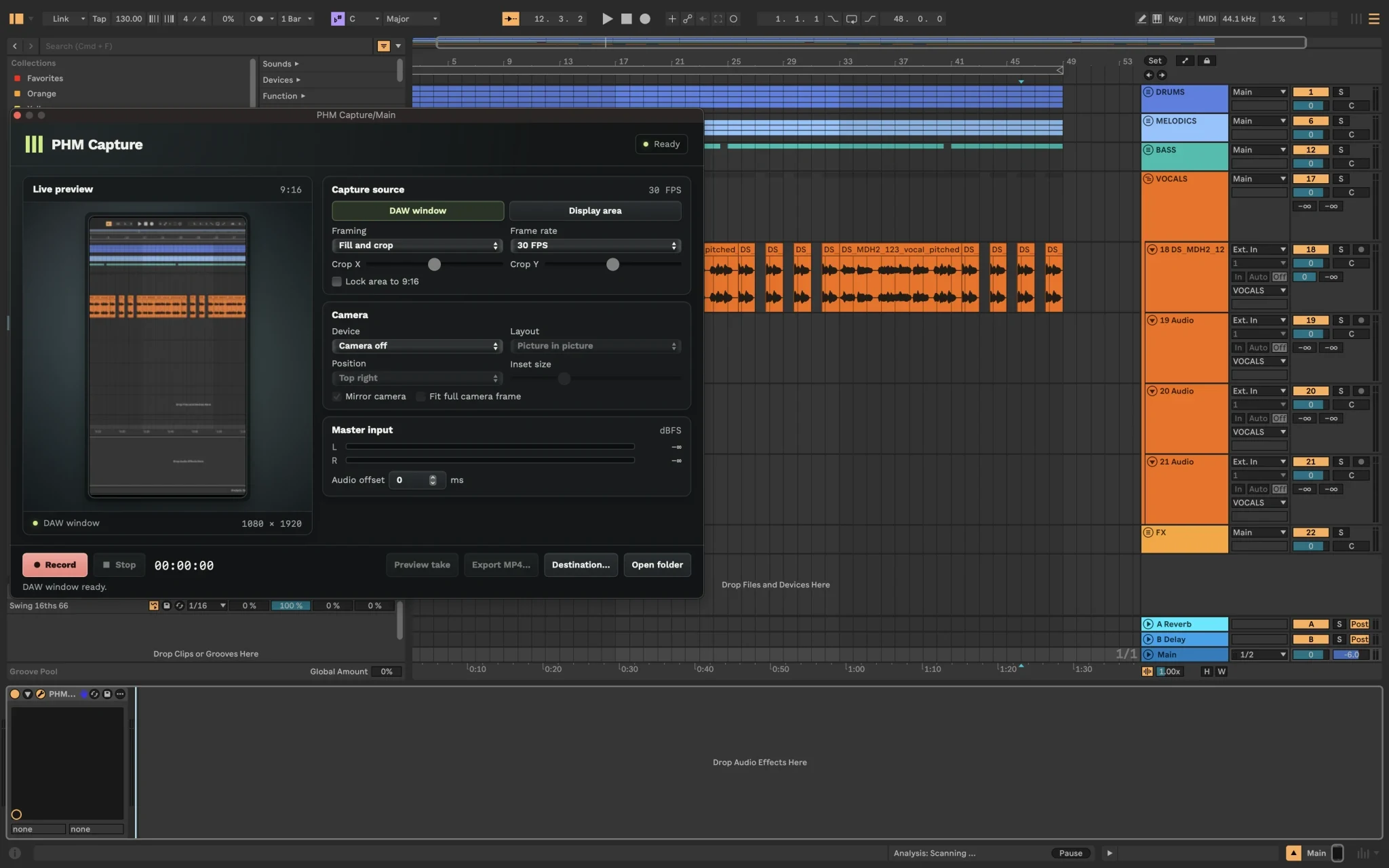
Add Capture to your stereo master output. Select a DAW window or choose a screen area.
Set the portrait framing, play your track and optionally add your camera while Capture records your DAW audio.
Preview the take and export an MP4 to edit or share.
Ableton Live and Logic Pro have been tested on Mac during development. Testing of other DAWs and the Intel Mac build is pending.
Apple Silicon Mac · macOS 14 or later
VST3 and Audio Unit. Check DAW compatibility before purchasing. Use VST3 in Ableton Live or Audio Unit in Logic Pro. macOS prompts for screen-recording permission before you can capture a window or display.
Windows VST3 is in development. Select Windows on the launch list to get notified when it’s available.
PHM Capture records the stereo audio reaching the plugin on your DAW’s master output.